



Experience seamless payments with Apple Pay and your Acanis card.
Add your card to Apple Wallet and pay instantly — in stores, apps, or online — with just a tap.
No need to pull out your card or type in details. Just use your iPhone, Apple Watch, or Mac and go.

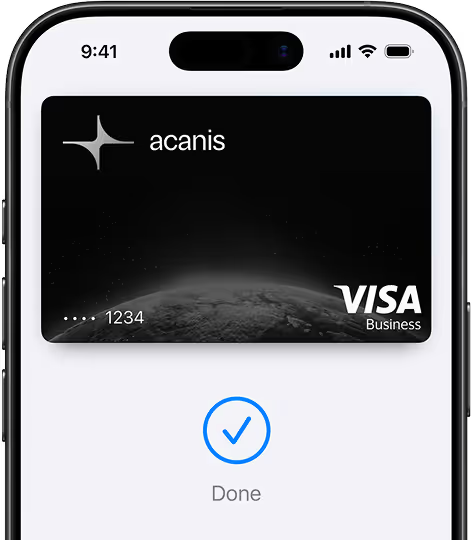


Getting started takes only a few seconds




You can also add your card on your Apple Watch, iPad, or Mac for payments across all your devices.

Where you can pay



Your card details are never shared with merchants

Pay in seconds with Face ID, Touch ID, or your passcode

Use it anywhere Apple Pay is supported

Neither Acanis nor Apple tracks your spending or purchases


1
Hold your iPhone or Apple Watch near the contactless reader.
2
Confirm with Face ID, Touch ID, or your passcode.
3
That’s it — your payment is complete.

1
Look for the Apple Pay button at checkout.
2
Confirm with Face ID, Touch ID, or passcode.
3
Select Apple Pay at checkout and confirm your purchase.
Apple Pay works with:


Apple Pay lets you make secure, contactless payments using your Acanis card on Apple devices — without carrying your physical card.
No. Apple Pay is completely free to use with your Acanis card.
Anywhere you see the Apple Pay or contactless payment logo — in stores, on websites, and in apps.
Yes. You can add multiple Acanis cards to your Apple Wallet and choose which one to use at checkout.
You can instantly suspend or remove your Acanis card from Apple Pay using Find My iPhone. Your card cannot be used without Face ID, Touch ID, or your passcode.
Yes. Every transaction is encrypted and authorized securely, ensuring your personal data stays private.
 Learn more about Apple Pay
© 2025 Acanis. All rights reserved.
Apple, Apple Pay, iPhone, iPad, Apple Watch, Touch ID, and Face ID are trademarks of Apple Inc. Acanis is not affiliated with or endorsed by Apple Inc.